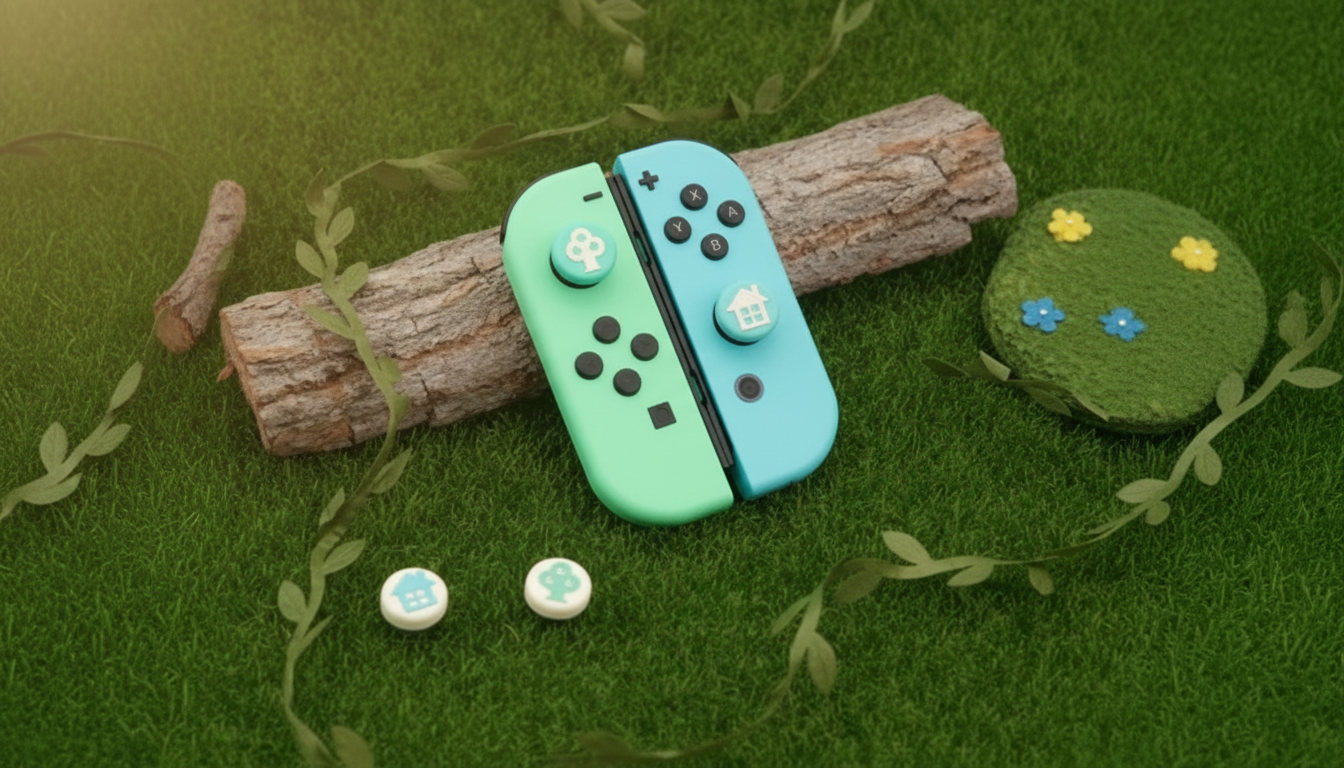
Thumb grip caps add a softer, higher-traction surface to Joy-Con and Switch OLED analog sticks, helping reduce slipping during fast inputs while also shielding the stick tops from wear. They’re a quick, low-cost upgrade that installs in seconds and can make long sessions feel more controlled and comfortable.
Small controller accessories can make a noticeable difference once you’re a few matches deep or halfway through a long handheld session. Silicone thumb grip caps tweak how your thumbs “connect” with the analog sticks without changing the controller electronics.
Joy-Con analog sticks on the standard Nintendo Switch and the Switch OLED use the same general stick style, so grip caps made for Joy-Con are typically intended to fit both. Most designs simply stretch over the existing stick top—no tools, no adhesives.
If you ever notice the stick not returning smoothly or the cap contacting the Joy-Con shell at the extremes, remove and reseat the cap, then test again. If stick behavior still feels off, Nintendo’s own troubleshooting steps can help: Calibrate Control Sticks (Nintendo Switch) and Joy-Con Control Sticks Are Not Responding or Respond Incorrectly.
Not all silicone feels the same. Texture, firmness, and how the inner ring grips the stick can affect everything from comfort to how often you’ll need to clean them.
Choosing between bare sticks and grip caps comes down to play style, comfort priorities, and how much your controllers travel. Fast action titles often benefit most from added traction, while comfort differences become more obvious during long handheld sessions.
| Feature | Bare Joy-Con stick | With silicone thumb grip caps |
|---|---|---|
| Thumb traction | Can get slick with sweat or fast movements | More grip from silicone + texture |
| Comfort over time | Harder surface can feel fatiguing | Softer, cushioned contact |
| Stick-top protection | Stick cap surface can wear/shinier over time | Cap takes the wear instead |
| Clearance in tight cases | No added height | May require checking case fit |
| Maintenance | Wipe stick top occasionally | Caps may need rinsing to remove lint/dust |
Installing silicone caps is quick, but taking an extra minute to seat them properly can prevent rubbing and keep the cap from spinning during intense play.
Because silicone naturally attracts lint and oils, a simple cleaning routine helps the caps stay grippy and comfortable.
For a quick controller refresh, start with Silicone Thumb Grip Caps for Nintendo Switch Joy-Con & OLED Controllers. They’re an easy way to improve traction and help protect the stick surface when controllers are shared, used by kids, or frequently packed up for travel.
Yes—Switch Joy-Con and Switch OLED Joy-Con use the same style of analog stick, so caps made for Joy-Con are typically compatible with both. If you use a thick grip case or a tight travel case, test clearance to ensure the caps don’t rub or press on the sticks.
They don’t change the stick’s electronics, but the added height and texture can slightly change leverage and how inputs feel. Most players adjust quickly, and you can verify comfort by testing movement in the Switch calibration screen.
Rinse them with warm water and a small amount of mild soap, then let them air-dry fully before reinstalling. Avoid harsh chemicals, and clean periodically to remove oils and lint that can make the surface feel slippery.






Leave a comment